 DashyNMS
Your LibreNMS, right on your desktop.
Know the moment something on your network needs you. DashyNMS sits quietly in the corner of your screen, tells you when an alert fires, and opens into your whole network when you want to dig in.
Windows 10 and 11 · No admin rights needed · No account, nothing tracked
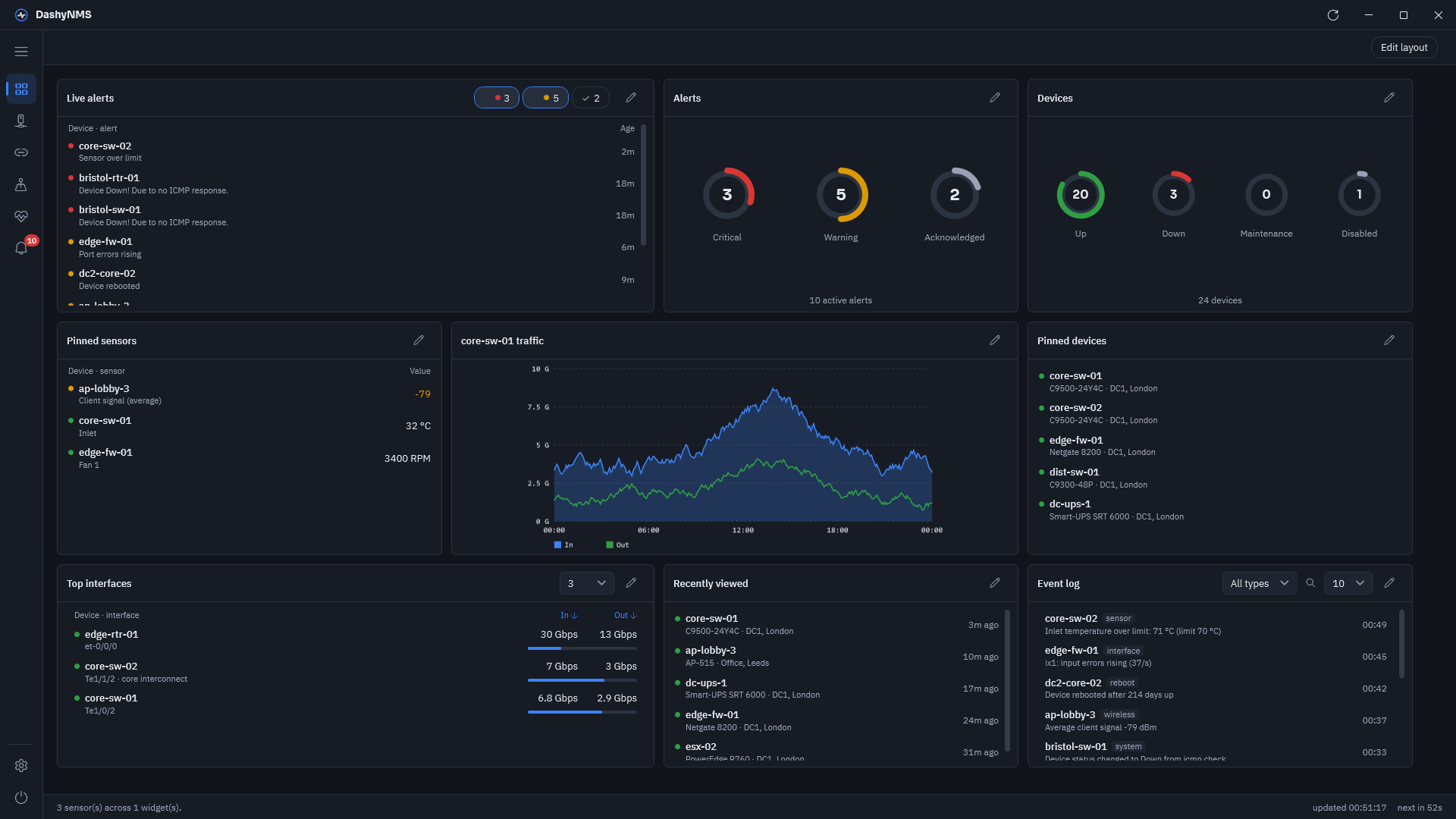
Up and running in a minute
Nothing to install on your server. If you can sign in to LibreNMS, you can use DashyNMS.
Install
Download the installer and run it. It installs just for you, so you don’t need admin rights.
Sign in
Enter your LibreNMS address and an API token, a key that lets the app read your server. Make one in LibreNMS under your user menu, API → API Settings, or ask your LibreNMS admin.
Get on with your day
Close the window and DashyNMS keeps watching from the notification area, and lets you know when something changes.
No server to hand? Choose Try the demo when you first open it, and look around an example network.
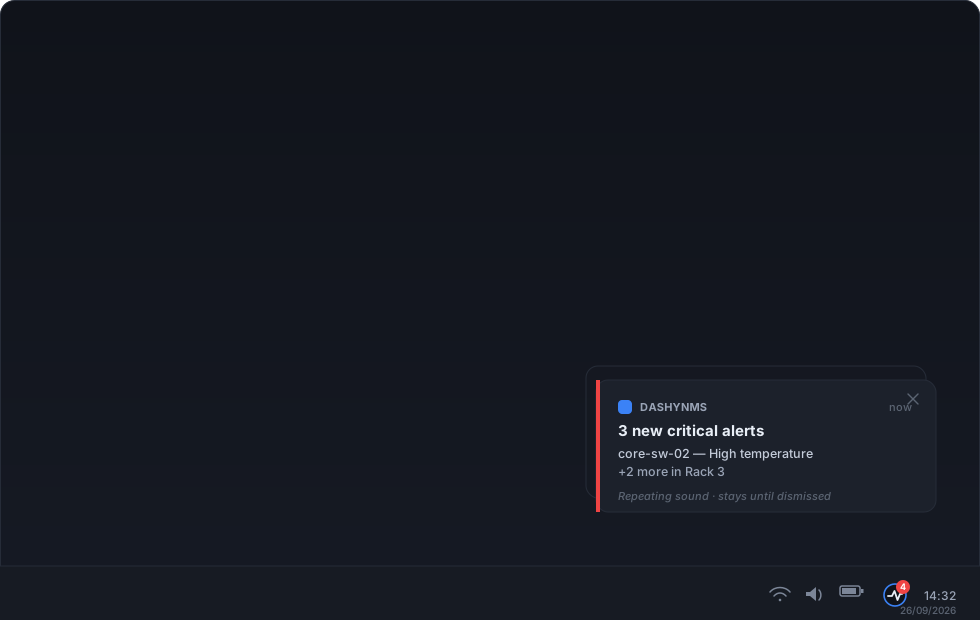
Tells you when it matters, quiet when it doesn’t
You don’t need LibreNMS open in a browser tab all day. DashyNMS watches it for you.
- A Windows notification when an alert fires or clears, with Acknowledge right on it.
- The tray icon turns amber or red with the number of open alerts. Click it to see the worst without opening the app.
- Choose how insistent each severity is: fade away, stay until dismissed, or keep sounding.
- Set quiet hours, so it stays out of your way when you’re not on call.
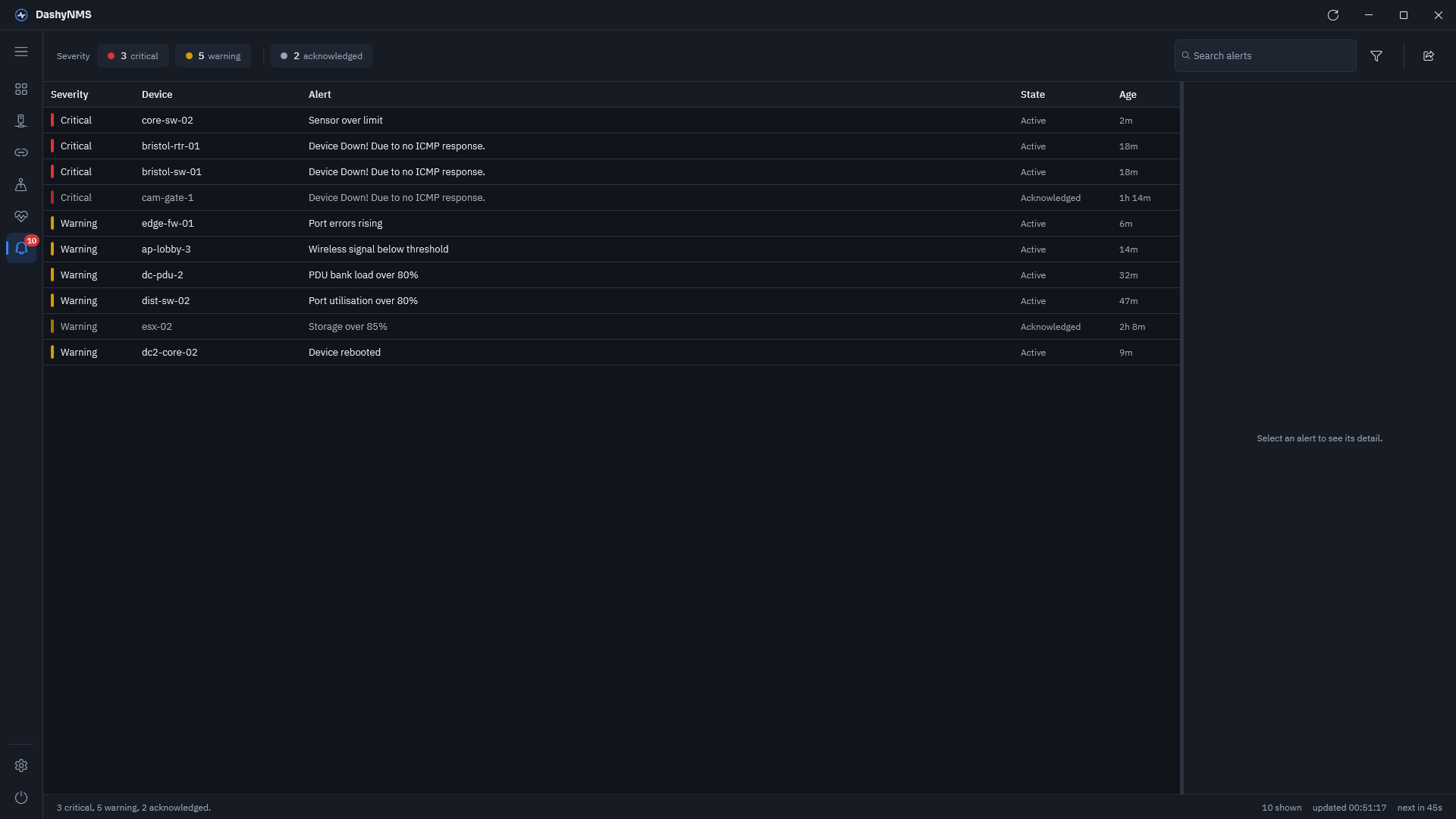
Know what’s wrong, and why
Every open alert in one place, with the reason it fired in plain view.
- Open any alert to see exactly why it fired and what its rule is looking for.
- Acknowledge it with a note, so your team knows you’re on it.
- Filter by severity, search, and export the list to a spreadsheet.
- For admins: a full alert rule and template editor, as on the LibreNMS website, with the devices, groups and locations each rule covers.
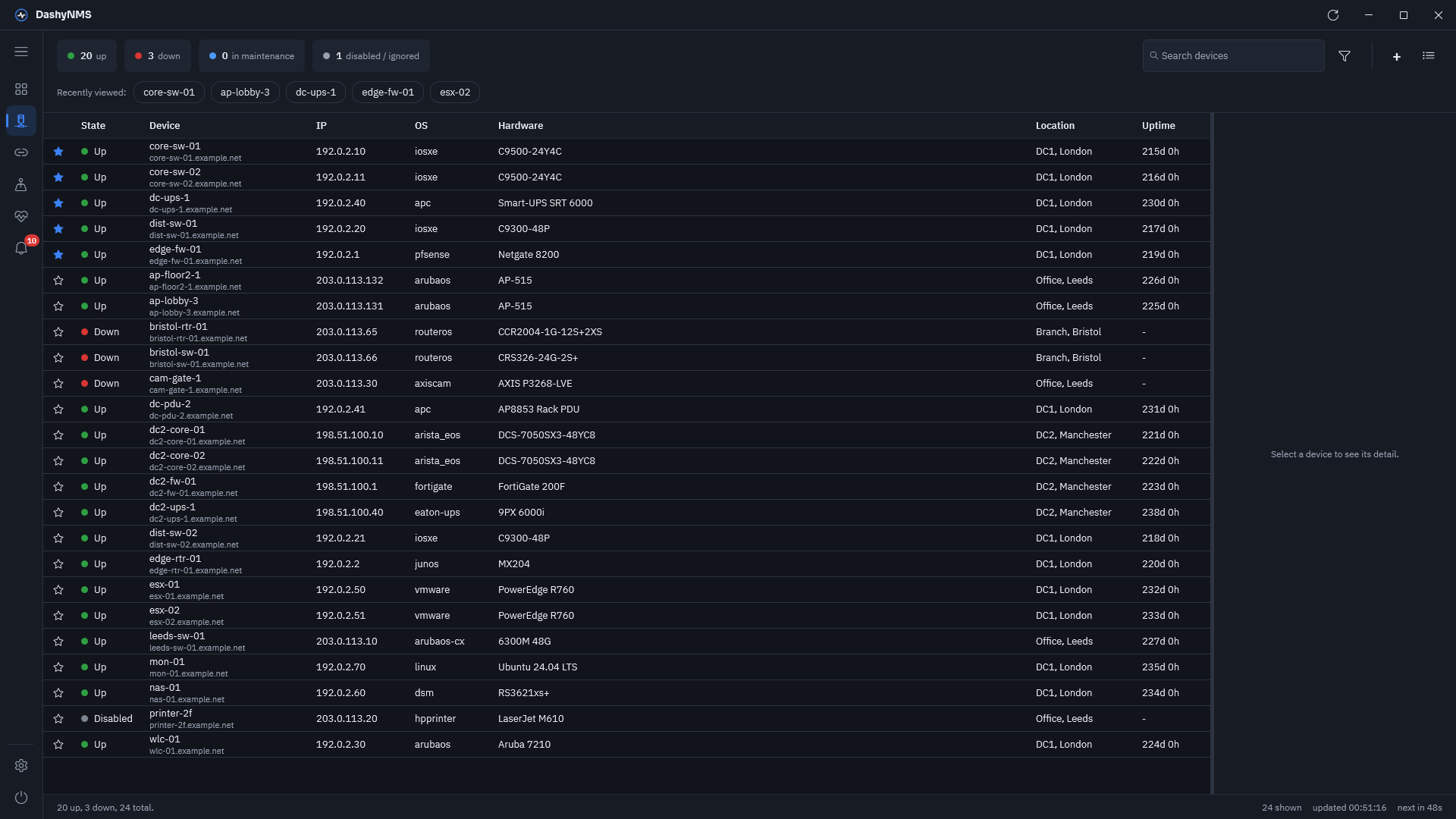
Your whole network in one list
Find any device by name, address or location, and keep the ones you care about at the top.
- Pin the devices you check most, so they stay at the top whatever you sort or filter by.
- Choose your columns and sort by anything: status, address, uptime, location.
- Act on several at once: pin them, add them to a group, or ask LibreNMS to check them again.
- Add new devices without leaving the app, one at a time or in bulk.
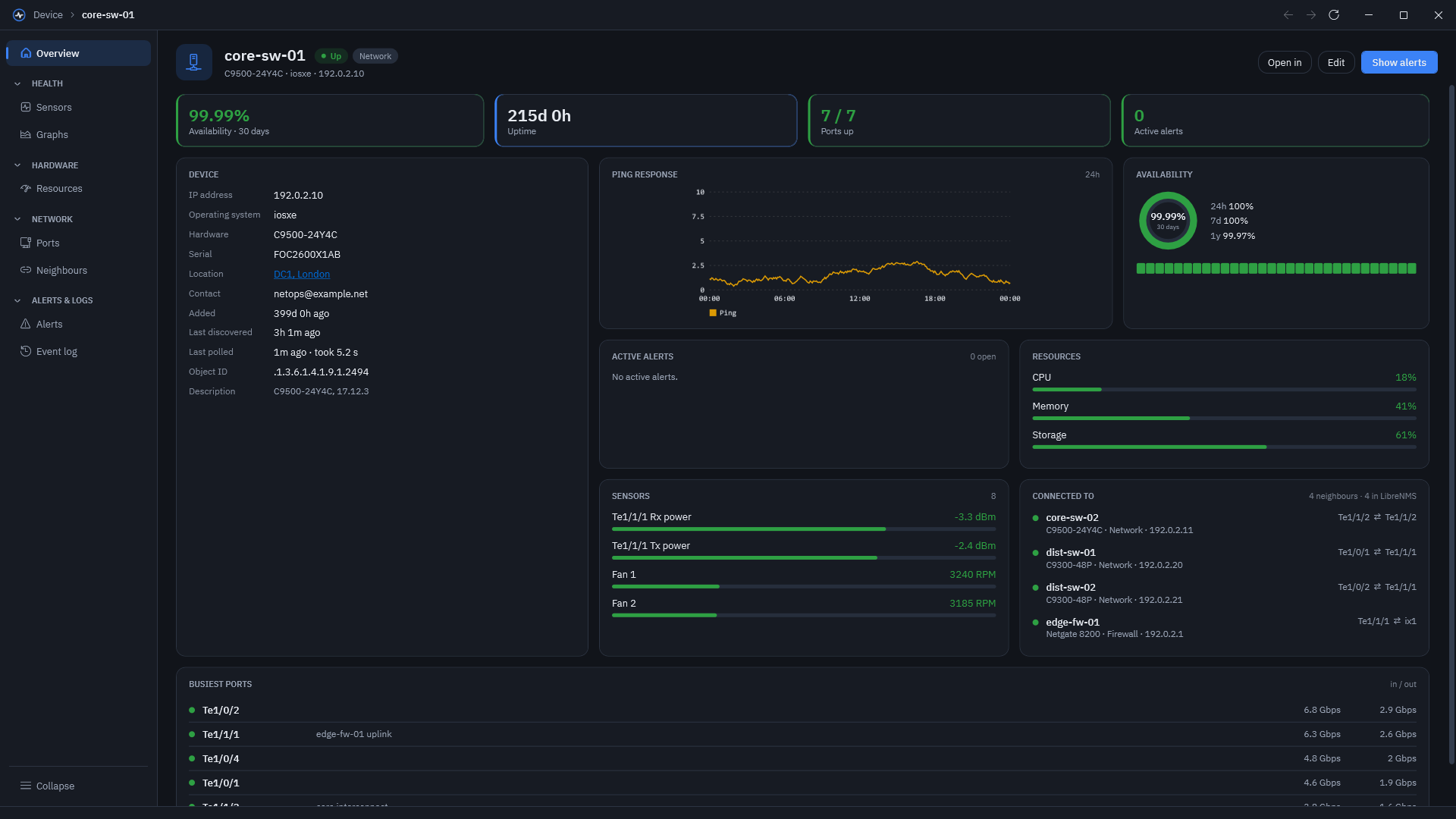
Everything about a device, on one screen
Open any device to see whether it’s healthy, how long it’s been up, and what it’s connected to.
- Status, uptime and response times at a glance, with graphs over time.
- Ports, sensors and neighbours, so you can see what’s plugged into what.
- The detail when you need it: CPU, memory and disk, VLANs, MAC and ARP tables, and a searchable event log.
- Connect straight to it over SSH, Telnet or the web, or put it into maintenance before you work on it.
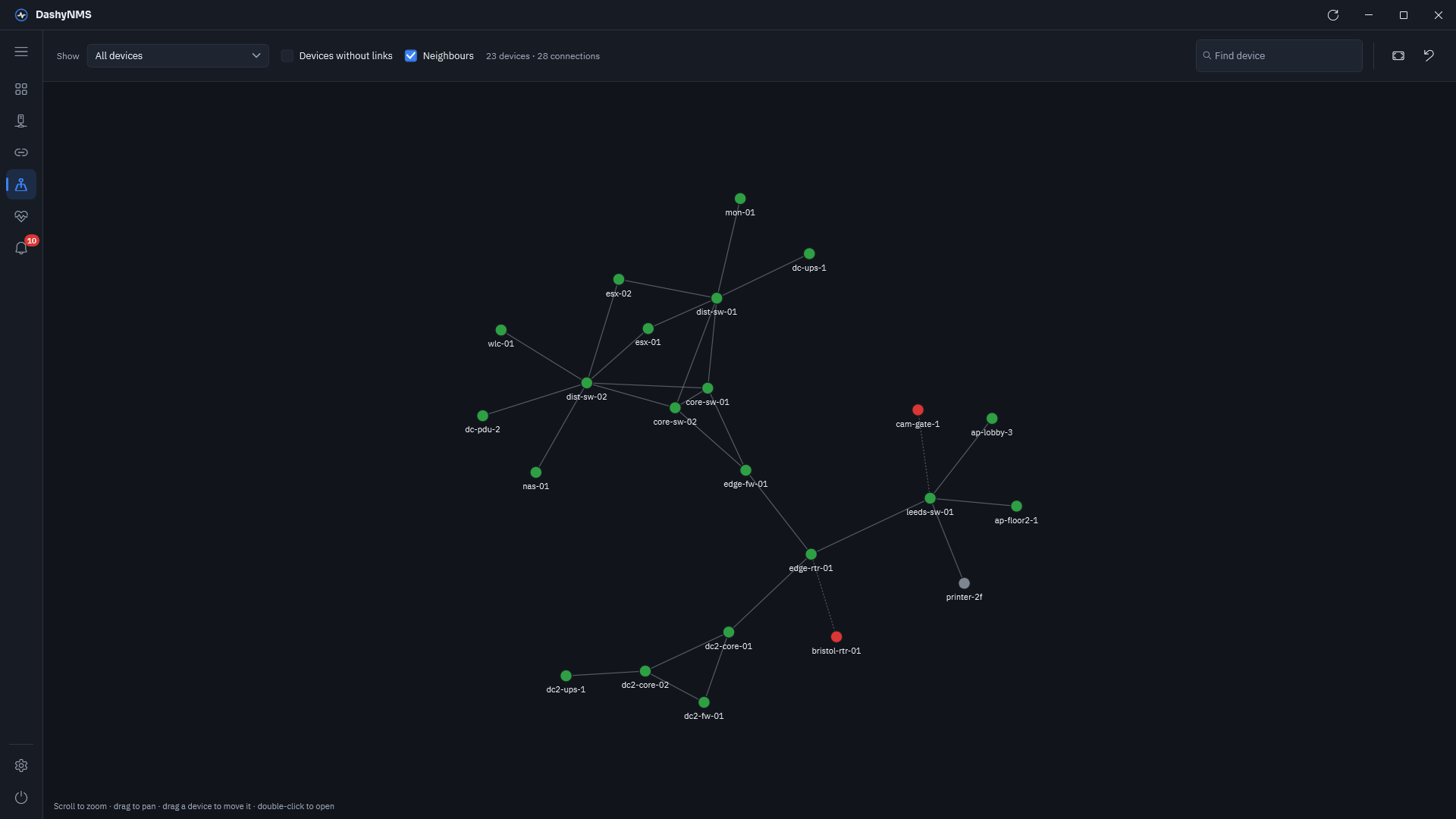
See how it all connects
Maps of your network that draw themselves from what LibreNMS already knows.
- A network map drawn from each device’s neighbours, and a geographical map of your sites.
- Maps of your own, laid out however makes sense to you.
- Health brings temperature, fan, optical power and signal readings from across your network into one place.
Fits into how you already work
Make it look and behave the way you like, and connect the other tools you use.
A dashboard you arrange
Drag and resize widgets for alerts, devices, sensors, graphs and logs, or start from a ready-made layout. It stays how you left it.
Make it yours
Dark or light, your choice of accent colour, even your own logo. One settings window covers everything.
More when you need it
Connect Graylog to search your logs, and Unimus to see configuration backups. If your server has a backup address, DashyNMS switches to it when the main one stops answering.
What you need
Windows 10 (version 1809 or later) or Windows 11, and a LibreNMS server you can reach, with its API turned on. It tells you when an update is ready.
Your data stays yours
DashyNMS talks to your own servers, and to GitHub for updates. There’s no DashyNMS account, no analytics and no cloud in the middle.
Your token is locked to you
It’s encrypted for your Windows account on this computer only, and you can choose not to save it at all.
Everything in one folder
Your settings and token live under %APPDATA%\DashyNMS. Delete the folder and it’s gone.
Talks only to your servers
Your LibreNMS server, plus Graylog and Unimus if you set them up. It also fetches updates from GitHub and map backgrounds from OpenStreetMap.
No admin rights needed
It installs just for your Windows account, and keeps everything there too.
Your LibreNMS, in your pocket.
DashyNMS Mobile brings the same alerts, devices and dashboard to iPhone and iPad, in TestFlight beta now, with Android to follow. Both apps share one engine, so your phone and your desk always agree.
Get DashyNMS Desktop
v1.0.0 for Windows 10 and 11. No account, and nothing tracked. What’s new